
- Arun P
- March 20, 2026
- Blogs
- 0 Comments
The end of life for Windows 10 is coming soon, leading many organizations to consider not just if they should upgrade but also how prepared they are. Despite this pressing situation, numerous businesses are still functioning without a solid strategy for transitioning to Windows 11, which puts them at greater risk.
Businesses need to be aware of what happens when Windows 10 support expires as it draws closer. Operational risks will rise across endpoints, compliance requirements will become more difficult to meet, and systems will no longer receive security updates.
A methodical approach to preparedness is essential. Without it, upgrading from Windows 10 to Windows 11 can become complicated, disruptive, and difficult to scale.
Why Enterprises Struggle with Windows 11 Readiness
- Device and Application Readiness
The devices and apps that are prepared for Windows 11 are not well understood by many organizations. Teams postpones decisions because of uncertainty in the absence of a thorough Windows 11 compatibility assessment.
- Associated with Postponed Modernization
There is significant security risks associated with using out-of-date Windows 10 systems. Cyber threats can easily target unsupported endpoints, increasing exposure throughout the company
- Scale Operational Complexity
Significant operational strain results from managing upgrades across thousands of endpoints, locations, and user groups. Upgrades that lack structure result in more support tickets, downtime, and delays.
- Issues with Compliance and Auditing
Maintaining compliance gets harder as systems get closer to Windows 10’s end of support. Unsupported systems run the risk of failing audits, which puts businesses and regulators at risk.
Enterprise Windows 11 Readiness Checklist
Organizations can transition from uncertainty to execution with the aid of a clear checklist. These are the essential actions that any business should take:
- Assess Current Environment
- Inventory all endpoints, devices, and operating systems
- Identify systems approaching Windows 10 end of life
- Evaluate infrastructure readiness
- Conduct Windows 11 Compatibility Assessment
- Validate hardware eligibility
- Assess application dependencies and compatibility
- Identify upgrade blockers early
- Define Upgrade Strategy
- Prioritize critical systems and user groups
- Create phased rollout plans for Windows 10 to Windows 11 upgrade
- Align upgrade timelines with business operations
- Strengthen Security and Compliance
- Address Windows 10 end of life security risks proactively
- Implement standardized security baselines
- Ensure audit and compliance readiness
- Plan Deployment and Execution
- Use structured Windows 11 upgrade services for controlled rollout
- Minimize disruption through phased execution
- Prepare IT teams for support and troubleshooting
- Enable Continuous Monitoring and Optimization
- Track upgrade progress and performance
- Optimize endpoints post-migration
- Transition into ongoing endpoint modernization services
How Virtual Tech Gurus Supports Windows 11 Readiness
- Comprehensive Windows 11 readiness assessment services
- Continuous Windows 11 compatibility assessment
- Scalable managed Windows upgrade services
- Secure and structured Windows 11 upgrade services
- Ongoing endpoint modernization services
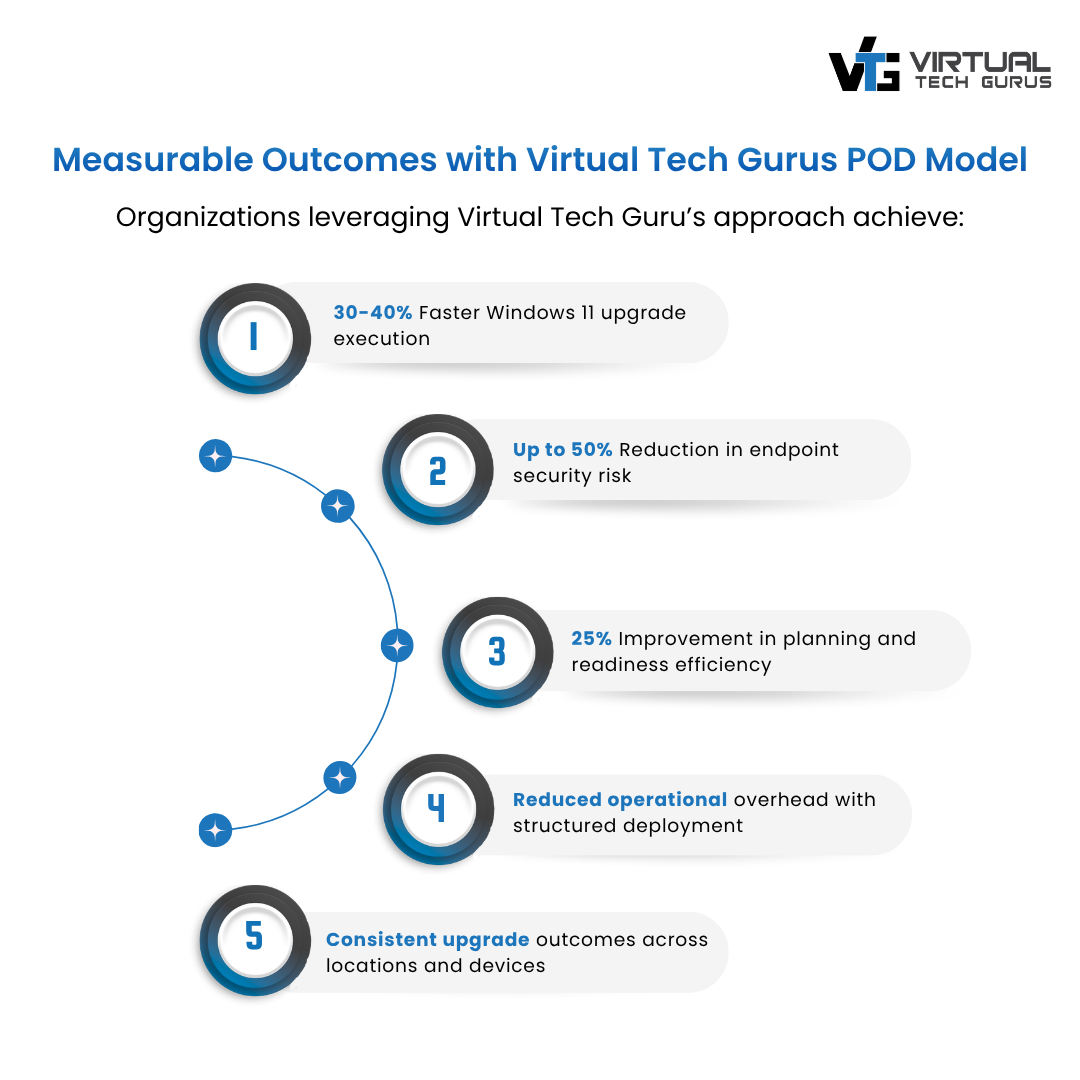
This approach ensures faster execution, reduced risk, and consistent outcomes across enterprise environments.
Move from Readiness to Execution
The Windows 10 end of support is not just a deadline – it’s a turning point for enterprise IT. Delaying action increases risk, cost, and complexity.
A structured Windows 11 readiness assessment services approach ensures that organizations are not only prepared but also positioned for long-term success through modernization.
Don’t wait to discover what happens when Windows 10 support ends.